
The Problem: Scaling PDF Generation Became a Daily Firefight
In early 2023, our platform hit a critical inflection point. The feature that was once a nice-to-have—dynamic PDF generation for invoices and reports—had become a core part of our value proposition. With user growth accelerating, our PDF generation pipeline, which we built on Puppeteer, started showing severe signs of strain. This isn't a story about a bug in a specific library, but a practical look at the operational overhead and architectural trade-offs we faced when scaling a headless browser infrastructure in production.
Our Existing Approach: Managing Headless Browser Farms
Our initial implementation was straightforward: a Node.js service that spun up Puppeteer instances on demand. For a while, it worked flawlessly. We used it to render complex HTML pages containing charts and CSS-heavy layouts into PDFs, capturing elements that a simple headless renderer couldn't handle. This was a classic "build vs. buy" decision where we chose to build, assuming the maintenance burden would be light. We were wrong.
The Mounting Operational Pain Points
As our monthly PDF generation volume grew from thousands to millions, the limitations became impossible to ignore. Here were the specific pain points driving our search for a better solution:
- Resource Intensity and Server Costs: A headless browser instance is a heavy resource consumer. We needed to reserve 1-2GB of RAM per process, forcing us to run expensive, large-compute instance groups on our cloud provider to handle concurrency. The cost of maintaining these fleets was becoming prohibitive.
- Unpredictable Failures: We experienced frequent, random timeouts and browser crashes. A minor network hiccup or a complex layout could cause a renderer to hang, requiring aggressive health checks and a robust retry mechanism that added significant complexity to our codebase.
- Security Surface Area: Running a full Chromium binary in our application layer expanded our attack surface. Keeping up with security patches for Chromium, while also managing the Node.js layer, was a constant manual chore.
- Latency and Performance Variance: The "cold start" time for a new browser instance was high. Even with persistent contexts, we struggled with consistent generation times. The time-to-first-byte for a PDF could vary wildly depending on the complexity of the document and system load.
Evaluating the Alternatives: A Tactical Search
Our goal wasn't just to find a "Puppeteer alternative case study," but to map our specific requirements to a viable architectural solution. We evaluated three paths:
- Optimizing Puppeteer: We explored worker threads, better pooling strategies, and memory management. This was a short-term bandage but didn't solve the fundamental resource constraints.
- Self-Hosted Alternatives: Tools like
WeasyPrintorLibrePDF. While efficient for simple layouts, they failed to accurately render our specific CSS-heavy, JavaScript-dependent charts, resulting in a drop in rendering quality that was unacceptable. - Dedicated PDF Generation APIs: Services that abstract away the browser management entirely. These services handle the headless browser infrastructure, scaling, and security, offering a simple HTTP endpoint for PDF generation.
The Decision: Outsourcing the Undifferentiated Heavy Lifting
Ultimately, we chose a dedicated PDF API. The decision came down to a core engineering principle: focus on differentiation. Maintaining a high-availability, scalable fleet of headless browsers was undifferentiated heavy lifting. It wasn't our core business, but it consumed a disproportionate amount of our operational focus and budget.
We selected a vendor that offered:
- Drop-in API compatibility (minimal code changes).
- Guaranteed uptime and SLAs.
- Advanced features like watermarking, header/footer injection, and automatic asset optimization.
Before vs. After: A System Comparison
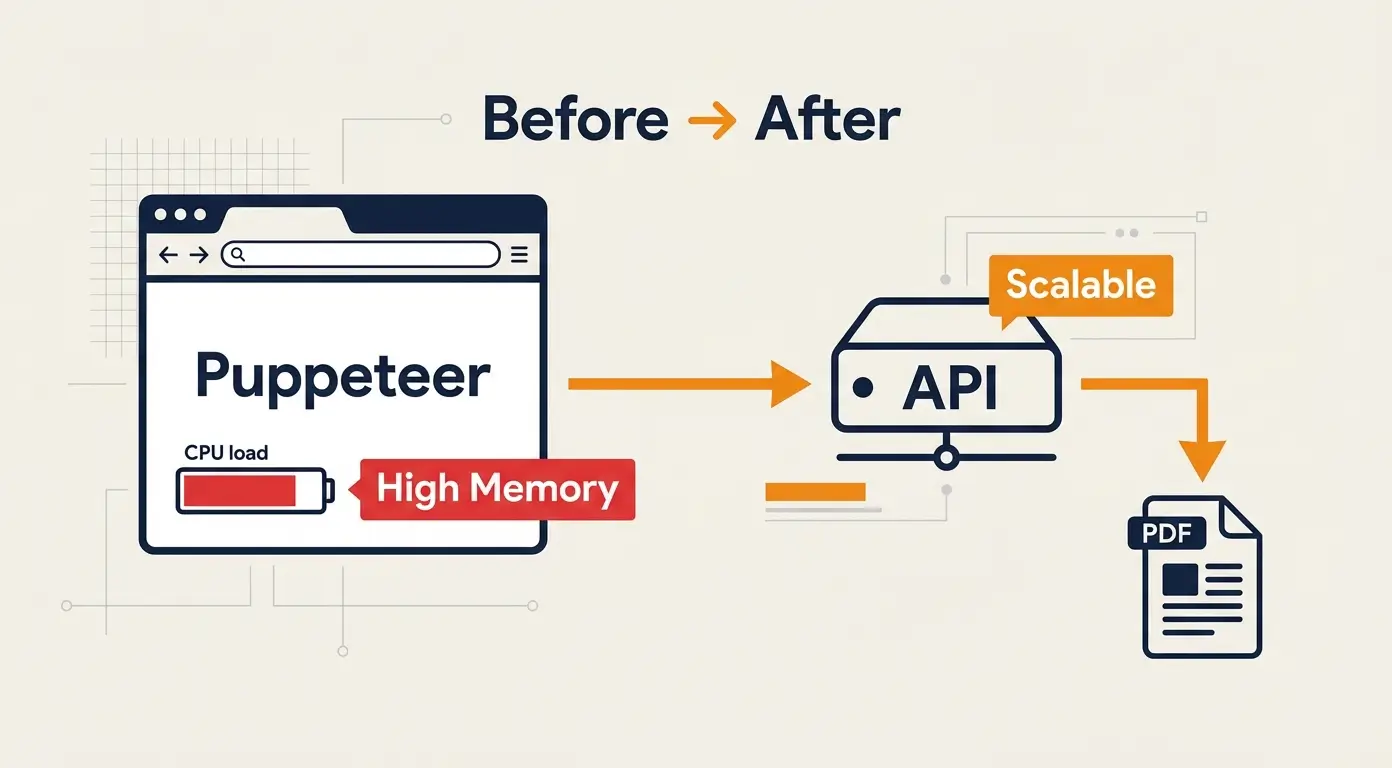
The shift in our architecture was profound. Here is the direct comparison of our PDF generation stack:
| Metric | Before (Puppeteer) | After (PDF API) |
|---|---|---|
| Infrastructure | Self-managed EC2/K8s node groups | Serverless (No ops) |
| Memory Usage | High (1-2GB per instance) | None (Client-side only) |
| Latency | Variable (Cold starts + rendering) | Consistent (Optimized) |
| Maintenance | High (Patching, debugging crashes) | None (Vendor managed) |
| Cost Model | Fixed compute cost (always-on) | Pay-per-use |
Outcomes and Quantified Results
Three months post-migration, the results validated the decision:
- 30% Reduction in Infrastructure Spend: Moving from always-on compute instances to a pay-per-use API model drastically cut costs.
- 99.99% Uptime: We eliminated the browser crash and timeout errors that plagued our previous system.
- 2x Faster Time-to-Market: Our frontend team could now iterate on PDF templates without waiting for backend engineering to adjust rendering logic or scale infrastructure.
- Zero Security Incidents: We offloaded the responsibility of keeping the rendering engine patched and secure.
Key Lessons Learned
1. Beware of the "Simple Prototype" Trap: A tool that works perfectly for 1,000 documents can collapse under the weight of 1,000,000. Evaluate the scaling path of your build-vs-buy decisions early.
2. Focus on Your Core Value Proposition: For us, the PDF was a delivery mechanism for data, not the data itself. Outsourcing the rendering engine allowed us to reallocate engineering cycles to data processing and visualization.
3. Trade Control for Velocity: We sacrificed some granular control over the rendering environment for massive gains in stability and operational peace of mind. For this use case, the trade-off was overwhelmingly positive.
Conclusion
Our journey from Puppeteer to a dedicated PDF API wasn't about the failure of a tool, but the realization that we had outgrown the "build" phase of our lifecycle. For teams handling massive scale, complex rendering, or requiring high reliability, managing your own headless browser fleet is often a distraction. By treating PDF generation as a distinct service managed by experts, we stabilized our platform and refocused our energy on what truly matters to our users.