Optimizing PDF Page Breaks with CSS: A Technical Deep Dive
 Subham Jobanputra
Introduction
When converting HTML to PDF, dealing with page break issues can be a challenging task, especially when trying to maintain the layout and formatting of the document. In this blog post, we'll explore how to effectively solve page break issues in HTML to PDF using CSS.
Background / Existing Approach
Prior to addressing page break issues in PDF generation, the standard approach often led to unpredictable page breaks, resulting in fragmented content or inappropriate page breaks that disrupted the flow of the document.
Pain Points or Limitations
The primary pain points of dealing with page break issues in PDF generation include inconsistent layout, difficulty controlling page breaks, and manual intervention required to adjust the content.
Decision-Making Process
To address these challenges, our team conducted thorough research on CSS properties and techniques that could help control page breaks in PDF generation effectively. We evaluated various options and their impact on the overall document structure.
New Approach (Solution)
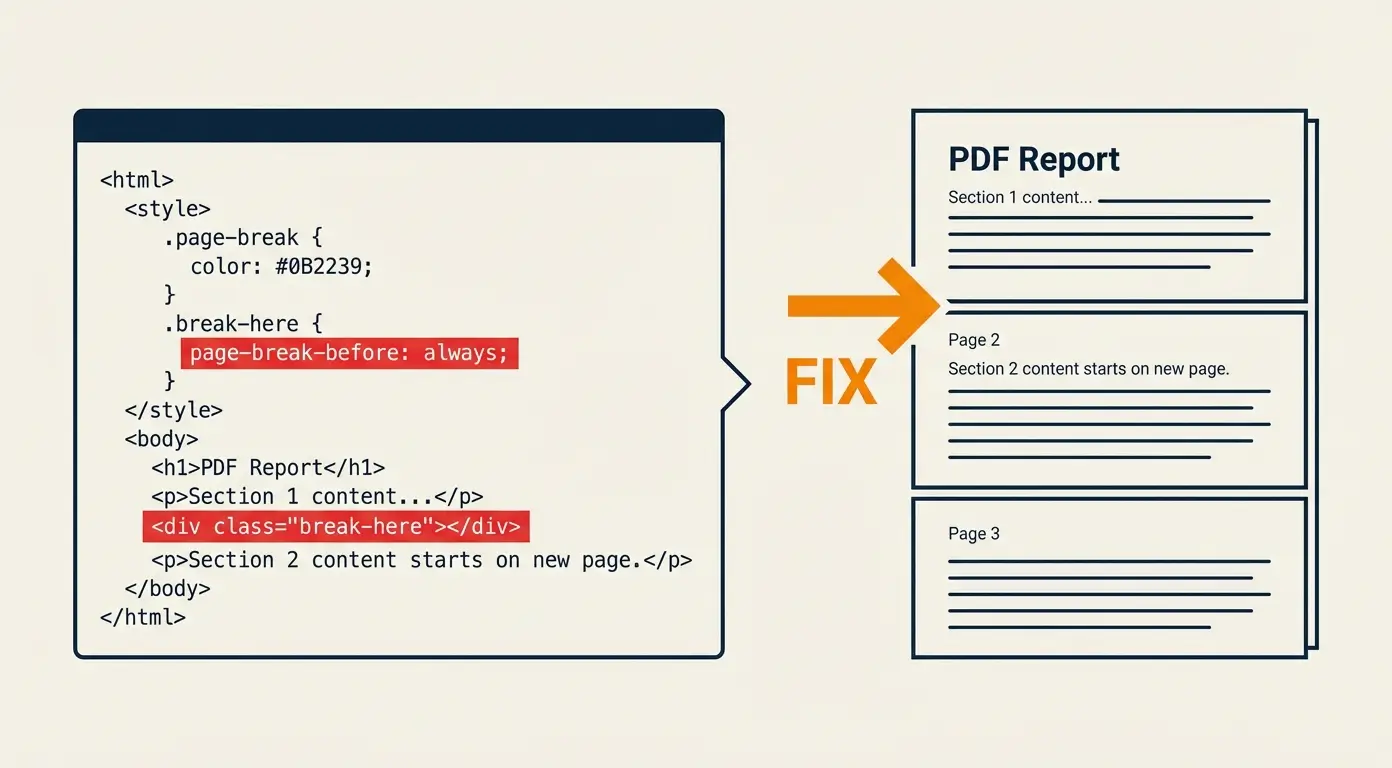
After extensive testing and experimentation, we discovered that leveraging CSS properties such as page-break-inside, page-break-before, and page-break-after allowed us to exert greater control over page breaks in the generated PDF.
Comparison (Before vs After)
Before implementing the new approach, the PDF output often had awkward page breaks that disrupted the content flow. However, after implementing the new CSS strategies, the document maintained a more consistent layout with improved page break control.
Results / Outcomes
The implementation of these CSS techniques resulted in cleaner PDF documents with smoother page breaks, enhancing the overall readability and user experience of the generated content.
Lessons Learned
Through this process, we learned the importance of understanding CSS intricacies for PDF generation and the significant impact small adjustments can have on the final output.
Conclusion
By optimizing page breaks in HTML to PDF conversion using CSS, we were able to overcome the challenges associated with unpredictable page breaks, leading to improved document consistency and user satisfaction. Implementing these techniques can greatly enhance the quality of PDF outputs in various web applications.