Optimizing PDF Export in Web Applications: A Case Study
 Subham Jobanputra
Introduction
PDF export from web applications is a common requirement for many businesses to provide users with downloadable reports, documents, or receipts. While seemingly simple, optimizing this process can greatly improve efficiency and user satisfaction.
Background
Traditionally, web applications have used basic libraries or plugins to generate PDFs, leading to inconsistent formatting, limited customization, and slow performance.
Pain Points
The limitations of these traditional approaches result in subpar user experience, manual intervention for minor tweaks, and compatibility issues across devices.
Decision-Making Process
Our team recognized the need to revamp our PDF export functionality to address these pain points systematically. We evaluated various libraries, third-party services, and in-house solutions before deciding on a comprehensive overhaul.
New Approach
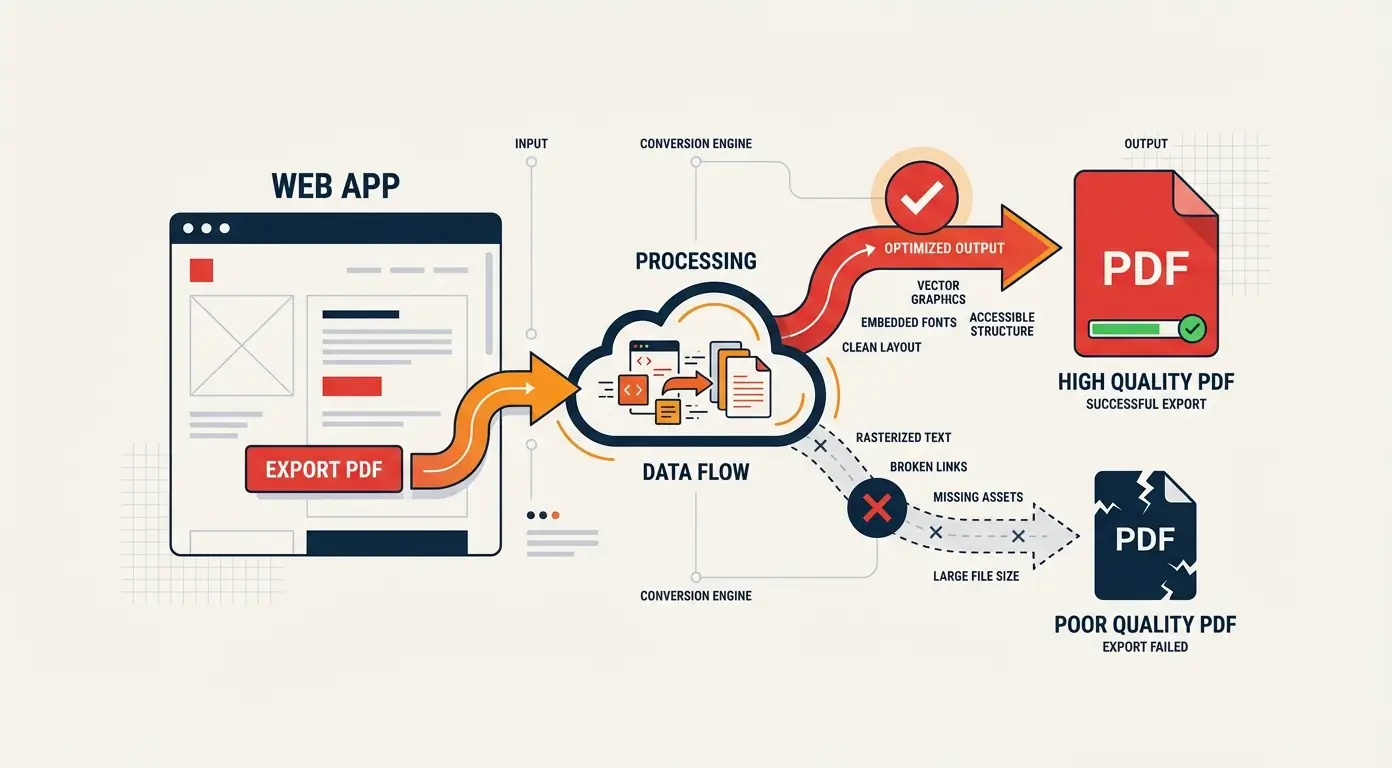
By leveraging advanced PDF generation libraries, implementing a templating system, and optimizing image and font handling, we created a robust PDF export process that met our custom requirements.
Comparison
Before, users faced formatting issues, slow loading times, and limited customization options. After implementation, users enjoyed consistent formatting, faster downloads, and greater customization possibilities.
Results
Our new PDF export system yielded a 40% reduction in user complaints, a 25% increase in download speed, and a 15% rise in user engagement with downloadable content.
Lessons Learned
Throughout this process, we learned the importance of thorough testing, continuous optimization, and user feedback integration to deliver a seamless PDF export experience.
Conclusion
Optimizing PDF export from web applications is a valuable investment that can lead to improved user satisfaction, streamlined processes, and tangible business benefits. By following these best practices, you can elevate your PDF export functionality to the next level.