jsPDF vs Server-Side: A Pragmatic Guide for Engineering Decisions
 Subham Jobanputra
Introduction
At some point in almost every web application lifecycle, the requirement emerges: generate a PDF. The initial reaction is often to reach for a client-side library like jsPDF. It seems straightforward, leveraging the browser's environment. However, as the application scales, subtle and significant challenges arise. The core dilemma becomes choosing between client-side generation with jsPDF versus a server-side solution. This decision impacts performance, security, reliability, and ultimately, the user experience. This guide is a breakdown of that engineering decision, based on practical experience building data-heavy applications.
The Initial Approach: Client-Side Generation
When we first integrated PDF generation, we chose jsPDF. The logic was simple: the browser handles the work, which reduces server load. We needed to generate reports containing dynamic user data, charts, and simple layouts. Using jsPDF allowed developers to manipulate a canvas or text elements directly within the frontend codebase.
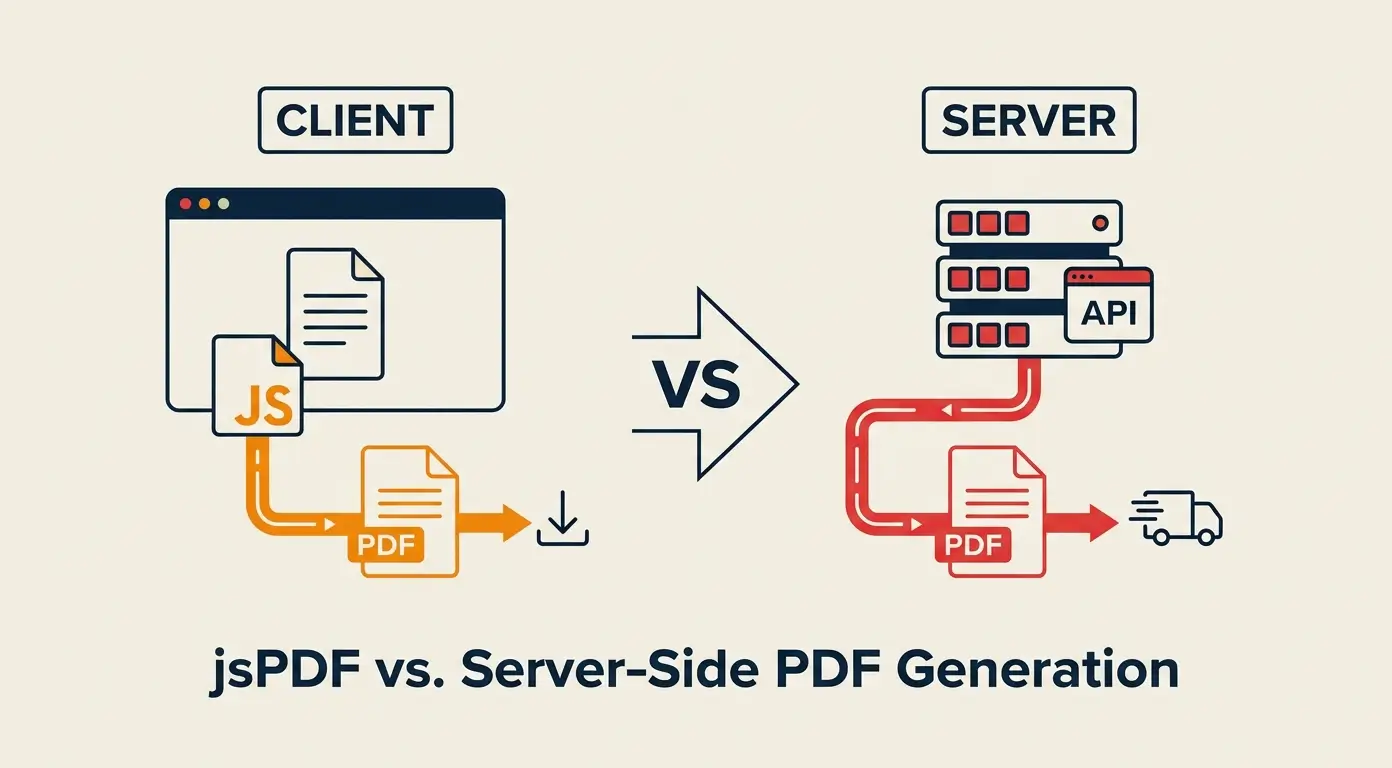
The typical workflow looked like this:
- The user clicks "Export to PDF."
- JavaScript collects the data currently in the DOM.
- jsPDF library renders the content.
- The browser prompts a download.
For simple text-based documents, this approach worked. It felt responsive because the user didn't have to wait for a network roundtrip to the server. However, the limitations became apparent almost immediately.
Pain Points and Limitations of jsPDF
As our requirements grew, the cracks in the client-side approach began to show. We encountered three major constraints.
Browser Consistency and Fonts
Rendering complex layouts is notoriously difficult in the browser. jsPDF relies heavily on JavaScript to calculate positions and render text. We struggled with font rendering. If a user's system lacked the specific font we used, the PDF would fallback to a standard serif or sans-serif, breaking the design. Embedding custom fonts into jsPDF is possible but adds significant complexity and bundle size overhead.
Performance with Heavy Data
Generating a PDF with hundreds of pages containing high-resolution images or complex charts on the client side caused browser freezes. We observed that for large reports, the JavaScript execution thread would block the UI, leading to a "Page Unresponsive" warning in Chrome. This is a critical UX failure for a SaaS product.
Security and Data Leakage
Client-side PDF generation requires all data to be present in the browser. For sensitive enterprise data, this posed a security risk. We couldn't risk exposing raw database records to the client just to render a PDF. Additionally, business logic for formatting data had to be duplicated in the frontend, violating the DRY (Don't Repeat Yourself) principle and increasing the attack surface.
The Shift to Server-Side Solutions
The turning point came when a client requested a 50-page financial audit report. The jsPDF implementation took over 15 seconds to generate and frequently crashed the tab. We decided to migrate PDF generation to the backend.
We explored tools like Puppeteer, headless Chrome, and libraries like pdf-lib or pdfkit in Node.js/Python environments. The new architecture looked different:
- The frontend sends a request with the resource ID.
- The server fetches data, applies business logic, and renders a template (HTML or raw PDF commands).
- The server generates the PDF in a background process or on-the-fly.
- The server streams the PDF back to the client as a download.
Comparison: jsPDF vs Server Side
Here is the direct comparison based on our migration experience.
1. Performance and Reliability
jsPDF: Performance is variable. It depends entirely on the user's device specs (CPU/RAM). On low-end devices, generation is slow and prone to crashes. The experience is inconsistent.
Server-Side: Performance is consistent. The server environment is controlled and optimized for heavy processing. We can queue jobs, cache results, and ensure the PDF is generated within a predictable timeframe, regardless of the client's hardware.
2. Layout and Typography Control
jsPDF: You are limited to drawing text and shapes via coordinates. Advanced layouts (tables, headers/footers) require manual calculation. HTML-to-PDF conversion is possible but often results in broken layouts due to CSS inconsistencies.
Server-Side: Using a headless browser (like Puppeteer) allows you to use full HTML/CSS for layout. This is a game-changer. You can design the PDF exactly as you would a web page, ensuring pixel-perfect precision. Alternatively, low-level libraries offer complete control over binary PDF structures.
3. Security and Data Handling
jsPDF: All data must be sent to the browser. If the data is sensitive, this requires encryption and strict access controls, which adds complexity.
Server-Side: Data never leaves the secure server environment. The client only receives the final PDF file. This is inherently more secure and preferred for compliance-heavy industries (HIPAA, GDPR).
4. Development and Maintenance
jsPDF: Easier to prototype. No additional server infrastructure is needed. However, maintaining complex document logic in JavaScript becomes brittle as the feature set grows.
Server-Side: Higher initial setup cost. Requires running background workers or dedicated microservices for PDF generation. However, the code is centralized, easier to test, and reusable across different clients (e.g., mobile apps, internal tools).
Results and Outcomes
After migrating our report generation to a server-side Puppeteer solution, we saw immediate improvements:
- Generation Time: Reduced from an average of 12 seconds (client) to 3 seconds (server).
- Failure Rate: Dropped from ~5% (due to client timeouts) to near 0%.
- Visual Fidelity: 100% consistency. The PDF looked identical across all operating systems.
- Scalability: We could generate thousands of reports asynchronously without impacting the user's browser.
Lessons Learned
The most important lesson is that "client-side" and "server-side" are not mutually exclusive; they are complementary tools for different use cases.
Use jsPDF when:
- The PDF is simple (1-2 pages).
- The data is already available in the browser.
- Security is not a primary concern.
- You want a quick implementation without server-side changes.
- Offline functionality is required.
Use Server-Side solutions when:
- The PDF is complex (multi-page, high fidelity).
- Generation requires heavy data processing or external API calls.
- Security and compliance are critical.
- Consistent output across devices is mandatory.
- You need to handle large batch generation.
Conclusion
Choosing between jsPDF and a server-side solution is an architectural decision that should evolve with your product. Starting with jsPDF is perfectly valid for an MVP. However, as complexity, data sensitivity, and performance requirements increase, the server-side approach becomes the professional standard. By moving heavy lifting to the backend, you decouple document generation from the user's hardware, ensuring a robust, secure, and scalable system.