Choosing Between Client-Side and Server-Side Rendering for HTML to PDF Conversion
 Subham Jobanputra
Introduction
When it comes to converting HTML to PDF, there are two primary methods: client-side and server-side rendering. Each approach has its own set of advantages and disadvantages that can impact the performance and functionality of your application. In this article, we'll explore the differences between client-side and server-side rendering for HTML to PDF conversion and help you make an informed decision for your project.
Background
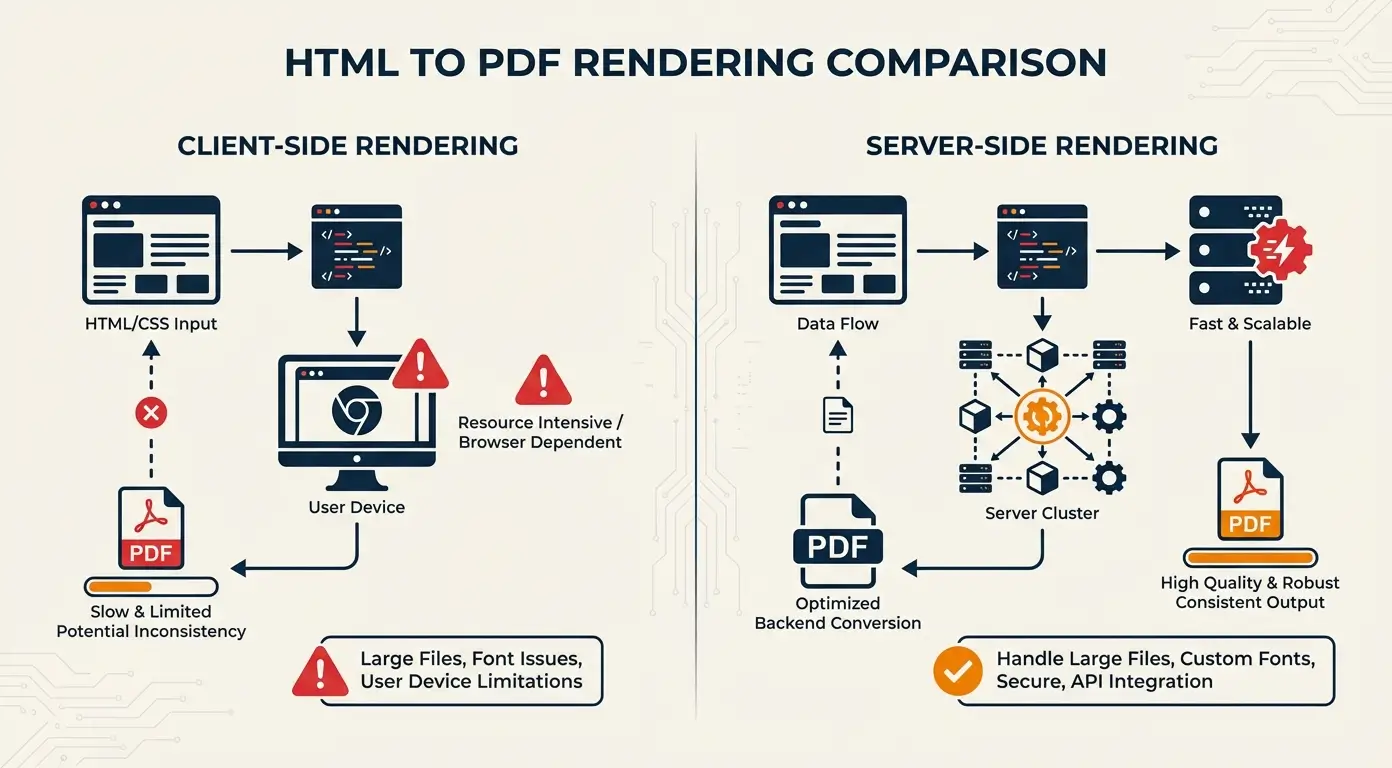
Client-side rendering involves generating the PDF directly in the user's browser using JavaScript libraries or browser APIs. This approach provides quick and easy PDF generation without the need for server interaction. On the other hand, server-side rendering requires sending the HTML content to a server, where it is processed and converted into a PDF before being sent back to the client.
Pain Points or Limitations
One of the main limitations of client-side rendering is the reliance on the user's device capabilities. Complex PDFs or large documents may cause performance issues or even crash the browser. Server-side rendering, on the other hand, can be slower due to network latency and server processing time.
Decision-making Process
When deciding between client-side and server-side rendering for HTML to PDF conversion, consider factors such as document complexity, security requirements, scalability, and user experience. Evaluate the trade-offs between performance, reliability, and ease of implementation.
New Approach: Solution
For projects with simple PDF requirements or limited server resources, client-side rendering may be the best option. On the other hand, if you need to generate secure, complex PDFs or handle high volumes of conversion requests, server-side rendering offers better control and scalability.
Comparison: Before vs After
Before implementing server-side rendering, our application struggled with performance issues and limited customization options for PDF generation. After switching to server-side rendering, we saw improved reliability, enhanced security, and the ability to handle a higher volume of conversion requests.
Results/Outcomes
By choosing server-side rendering for HTML to PDF conversion, we were able to streamline our PDF generation process, improve the user experience, and ensure consistent performance across different devices and browsers.
Lessons Learned
The key takeaway from our experience is to carefully evaluate the specific requirements of your project before choosing between client-side and server-side rendering. Consider the implications for performance, scalability, security, and customization options to make the best decision for your application.
Conclusion
Choosing the right approach for HTML to PDF conversion is crucial for the success of your project. By weighing the pros and cons of client-side and server-side rendering, you can determine the best method based on your project requirements and constraints.