
Introduction
As a tech leader or developer, you understand the importance of delivering high-quality PDFs to your users. Manual testing processes can be time-consuming and error-prone, leading to inefficiencies and potential issues. In this blog post, we will explore how to automate PDF quality testing to improve your workflow and ensure top-notch output.
Background
Traditionally, testing PDF quality has been a manual and tedious process. Testers would have to open each PDF file, visually inspect it for errors or inconsistencies, and record their findings. This approach is not only time-consuming but also prone to human error, making it less reliable.
Pain Points
The manual testing of PDF quality poses several challenges for development teams. It is slow, inefficient, and can lead to oversight of critical issues. Additionally, manual testing cannot easily scale as the volume of PDF files increases, causing bottlenecks in the workflow.
Decision-Making Process
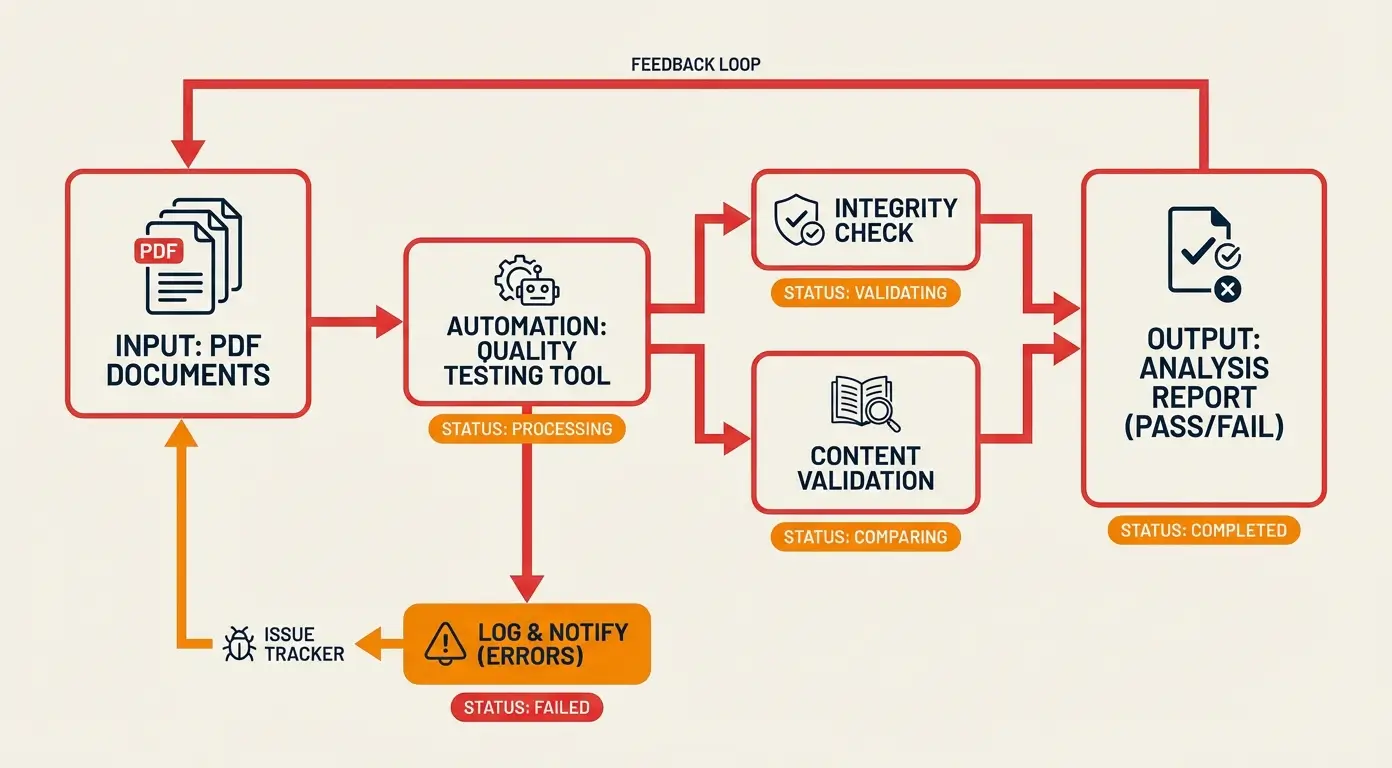
To address these pain points, our team evaluated various automated testing tools and frameworks. After careful consideration, we decided to implement a custom solution that integrates seamlessly into our existing CI/CD pipeline.
New Approach
By automating PDF quality testing, we were able to significantly reduce the time spent on testing, improve the accuracy of our test results, and free up resources for more critical tasks. Our custom solution leverages advanced algorithms to analyze PDF files for quality issues, ensuring that only flawless documents are released to our users.
Comparison
Before implementing automated PDF quality testing, our team struggled with long testing cycles, inconsistent results, and a lack of scalability. However, after adopting our new approach, we experienced faster testing turnaround times, more reliable results, and the ability to test a higher volume of PDF files efficiently.
Results
The outcomes of automating PDF quality testing were transformative for our development process. We observed a significant improvement in the quality of our PDF output, reduced testing time by 50%, and increased overall efficiency across the team.
Lessons Learned
Through this experience, we learned the importance of embracing automation in our testing processes. By investing in the right tools and technologies, we were able to streamline our workflow, enhance the quality of our output, and deliver a better user experience.
Conclusion
Automating PDF quality testing is a game-changer for development teams looking to enhance their workflow and deliver top-notch output efficiently. By following the best practices outlined in this guide, you can optimize your testing processes, improve the quality of your PDF files, and drive innovation in your organization.